Your Procurement. Simplified.
The Willsmeet Customer Procurement Portal helps your organization issue purchase requests, track orders, manage approvals and monitor spend — all in one centralized platform.
Faster Procurement
Create requests, track approvals and release orders from one dashboard.
Real-time Tracking
Monitor order status, invoices, deliveries and exceptions instantly.
Better Visibility & Control
Centralize spend data, approvals and branch workflows with ease.
Data-driven Decisions
Use portal reports to identify trends, optimize budgets and improve compliance.
Dashboard
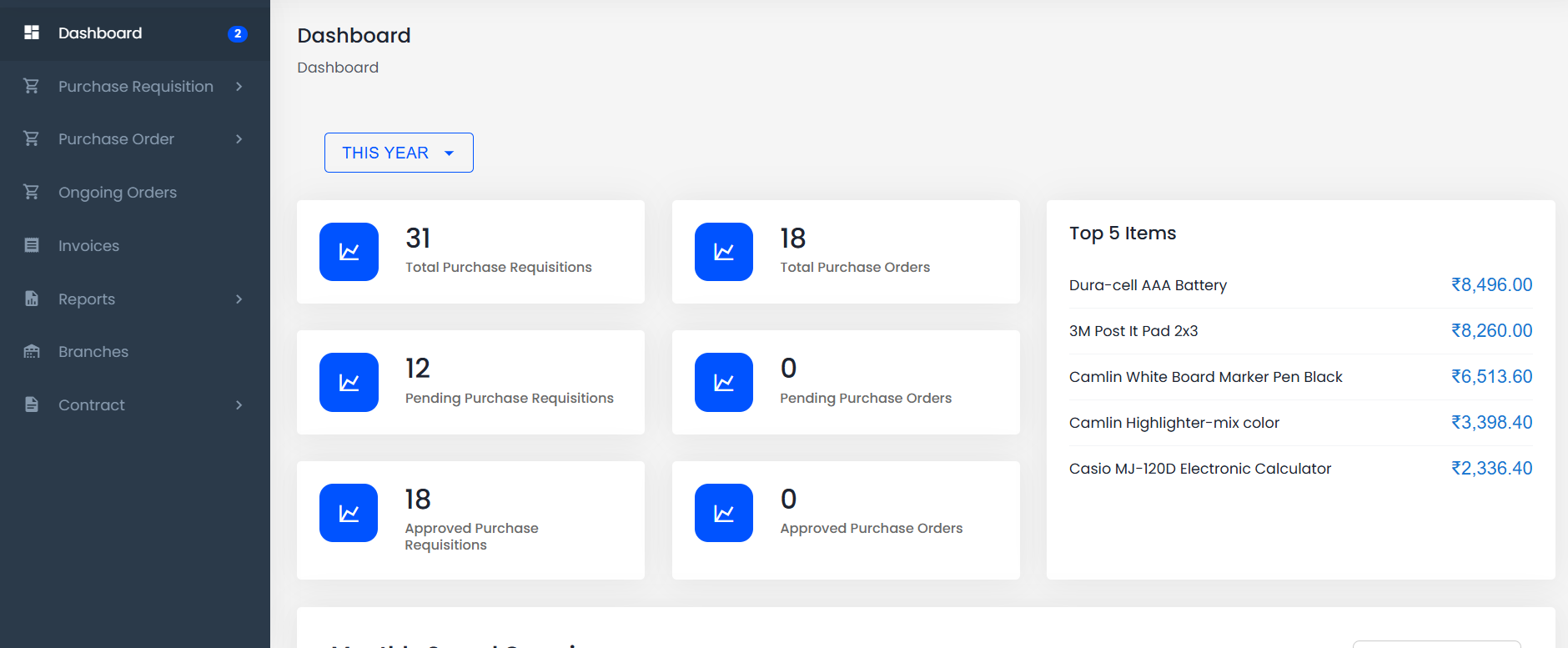
Manage your procurement end-to-end
Complete visibility and control over your procurement process, from requisition to delivery.
Purchase Requisitions
Create, view and track purchase requisitions raised by your team with approval workflows.
- •Create & submit requisitions
- •Track approval status
- •Save draft & edit
- •Branch-wise requisitions
Purchase Orders
View and manage all purchase orders in one place with linked PR & SO details.
- •All orders at a glance
- •Filter by status
- •Linked PR & SO details
- •Quick actions
Ongoing Orders
Monitor orders, invoices, shipment status and delivery progress in real time.
- •Order progress tracking
- •Invoice & package status
- •In process orders
- •Quick action menu
Reports
Access detailed spend reports across branches, items and categories to identify savings.
- •Reports by customer / item
- •PR & PO reports
- •Filter by year, branch, status
- •Export reports
Branches
Manage locations and streamline procurement across multiple sites with branch-level control.
- •Add & manage branches
- •Update branch details
- •Centralized visibility
- •Branch-level control
Create Purchase Requisition
Raise a new purchase requisition with all billing, shipping and item details in just a few clicks.
- •Select addresses
- •Add items & quantities
- •Save as draft or submit
A simple process to streamline procurement
Create Request
Raise a purchase requisition with all required details.
Submit for Approval
Submit your request for approval to the concerned authority.
Approval
Request is reviewed and approved by authorised approver.
PO Creation
Purchase order is created and shared with the vendor.
Order Fulfillment
Vendor processes the order and ships the items.
Track & Close
Track order, invoices and packages until completion.
Request Access to the Procurement Portal
Fill out the form and our team will get in touch with you to set up your organization account.